Does the product photo show the version you are buying?
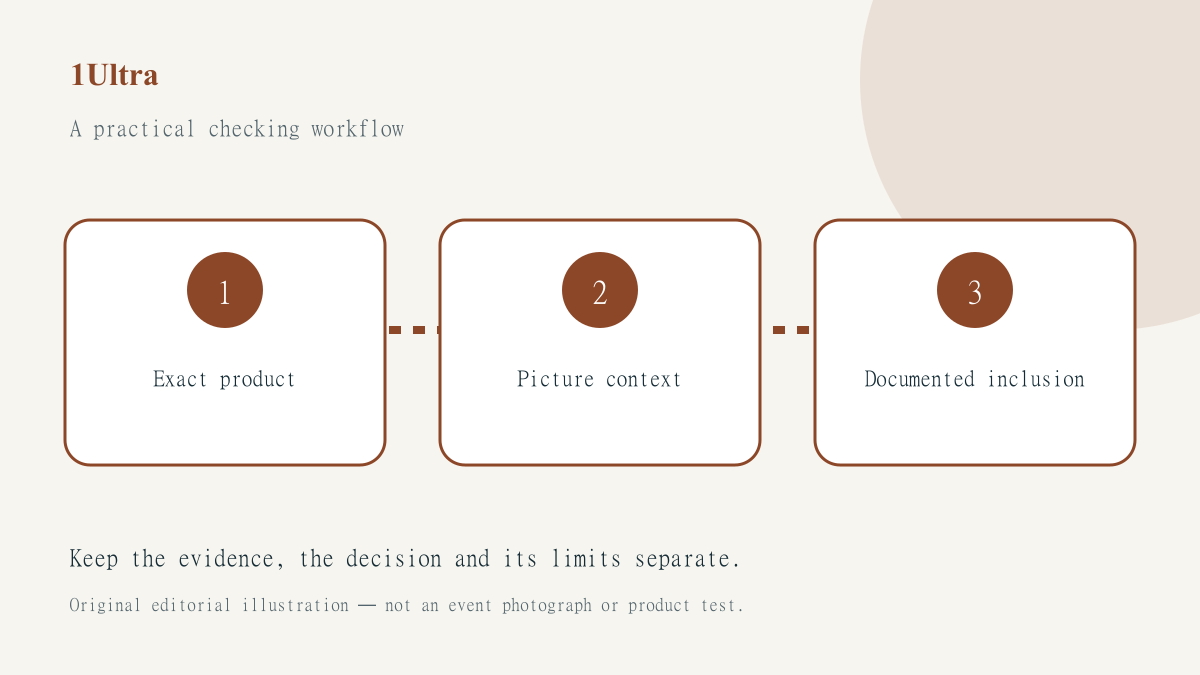
A product photograph can look precise while leaving the most important buying detail unclear: which version does it show? A current listing may use a general family image, an older interface screenshot or an illustration. Before treating the picture as evidence of an exact feature or included accessory, connect it to the actual product description.
The photo-context guide provides a useful investigative distinction: finding an image online does not establish every date, location or claim attached to it. This article applies that reasoning to product research. It does not accuse a seller of deception or assess a named listing.
Identify the purchase, then the picture
Record the exact product identifier, seller and configuration under consideration. A family name may cover several versions. Compare the image caption and surrounding description with that identifier rather than relying on visual similarity. If the page says image for illustration, retain that qualification in your research instead of treating every visible item as included.
Write down the particular question the picture is being used to answer. Is an accessory included, does a device have a certain connection, or does an application offer a particular screen? These questions may be better settled by a current specification or provider instruction. A photograph can be useful context without being the strongest evidence for the purchase condition.
Keep the full listing context
Save the actual listing URL and the date you checked it. A cropped image from a comparison page may omit the seller’s qualification or the configuration selector. If the page has several product options, confirm which one was selected when the image and description were displayed. Avoid making an old screenshot the sole record of a changing offer.
Where a specification matters, follow the manufacturer’s or service provider’s genuine current information. Do not assume that a picture used by several sellers establishes the same bundle everywhere. A shared promotional asset may simply be convenient for presenting a product family. The relevant question remains what the particular seller actually offers under the selected configuration.
Investigate earlier appearances carefully
A reverse-image search may locate older uses or a fuller caption. Treat those results as leads, not an automatic verdict. A picture appearing on an older page might still be an authorised current illustration. Equally, its recent appearance does not prove that it documents the version you are considering. Explain the supported observation rather than jumping from image age to an accusation.
When product stories repeat the same picture, the distinction between aggregated discovery and original publishing helps identify where the asset and claim originated. Several thumbnails may lead back to one press kit or announcement. Repetition does not create independent confirmation of a feature.
Compare the evidence behind disagreements
Use the coverage-comparison workflow when a review, listing and provider page appear inconsistent. Record the exact model or software version each describes, along with its date and method. What looks like a contradiction may concern different configurations, regions or releases. Keep that possibility open until the records can be compared fairly.
If the image remains ambiguous, ask the genuine seller or provider a specific question before purchasing. Avoid a vague request asking whether everything shown is included when the critical issue is one accessory or feature. Keep the written answer with the product record and distinguish it from a general automated acknowledgement that the enquiry was received.
Make the final decision from documented conditions
A practical evidence row can read: accessory visible in illustration; inclusion not established in selected bundle; seller clarification requested. Keep that row unresolved until the specific answer arrives. This prevents the image from quietly becoming a factual promise when someone later reduces the research note to a short shopping shortlist.
A useful purchase worksheet can separate visible illustration, documented inclusion and unresolved question. It should not manufacture certainty merely because a buying comparison needs a completed cell. If the unresolved point is essential, consider pausing the decision or finding an option with clearer evidence. Check the actual seller’s applicable support and return information rather than assuming a universal rule.
Use NewsBeagle to explore attributed coverage, then retain the provider and listing sources that answer the product question. Our research-first guides do not claim hands-on testing where none has occurred. Good image research helps explain what is being bought; it does not turn an attractive picture into a substitute for the offer’s actual terms.